Want to leave a review for us, but don’t know how? We got you covered!
Today, we are going to teach you how to leave a review on Google, Yelp, Facebook, Zillow, and Find A Mortgage Broker! With our easy-to-follow steps, you’ll be a pro at leaving reviews online. Let’s get started!
1. Google
Step #1: Go to https://g.page/r/CYk6IE-xV21vEAE to visit our Business Profile page (make sure you are signed in to your google/gmail account beforehand)
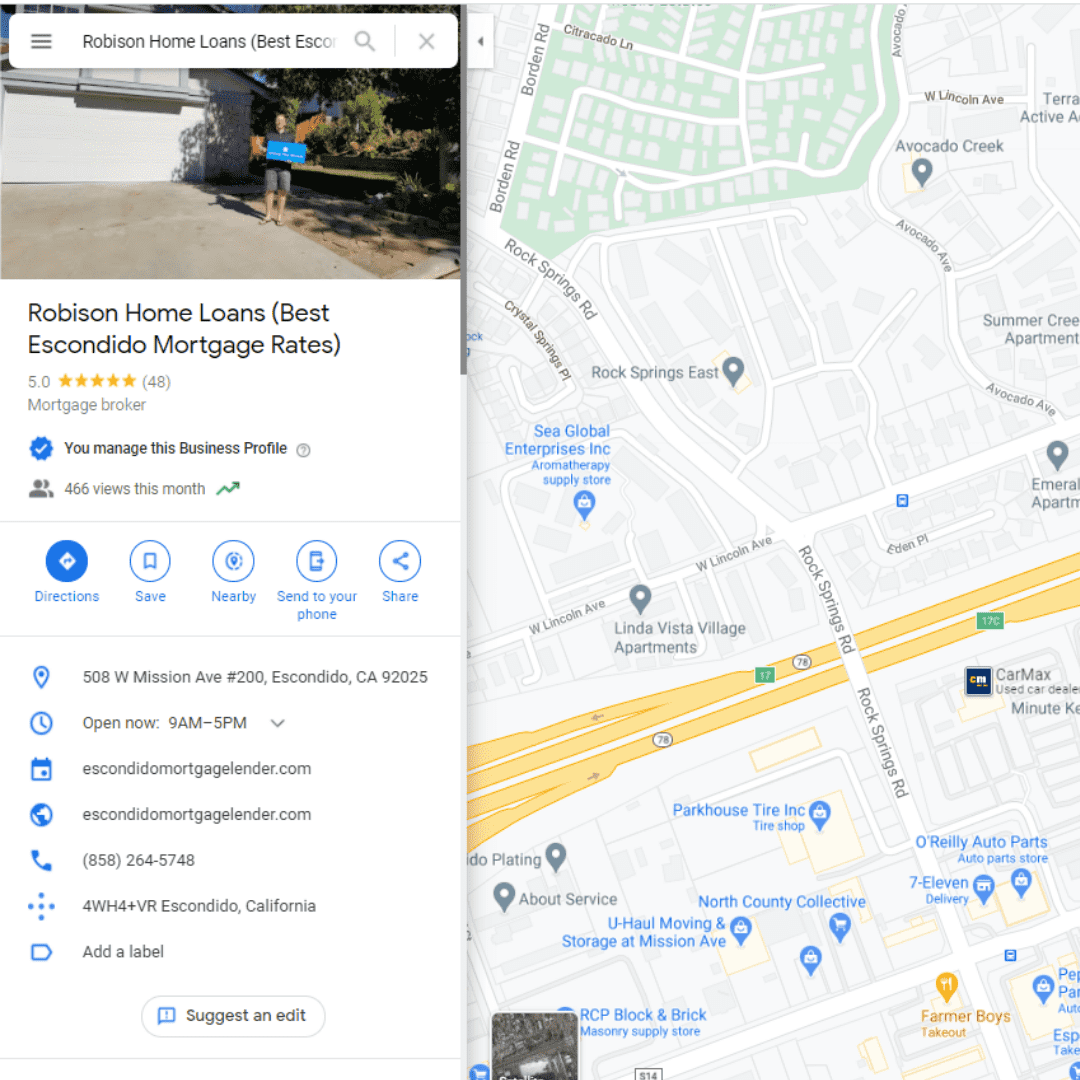
Step #2: Scroll down on the left side panel to the “Review Summary” section. From there, click on “More Reviews”
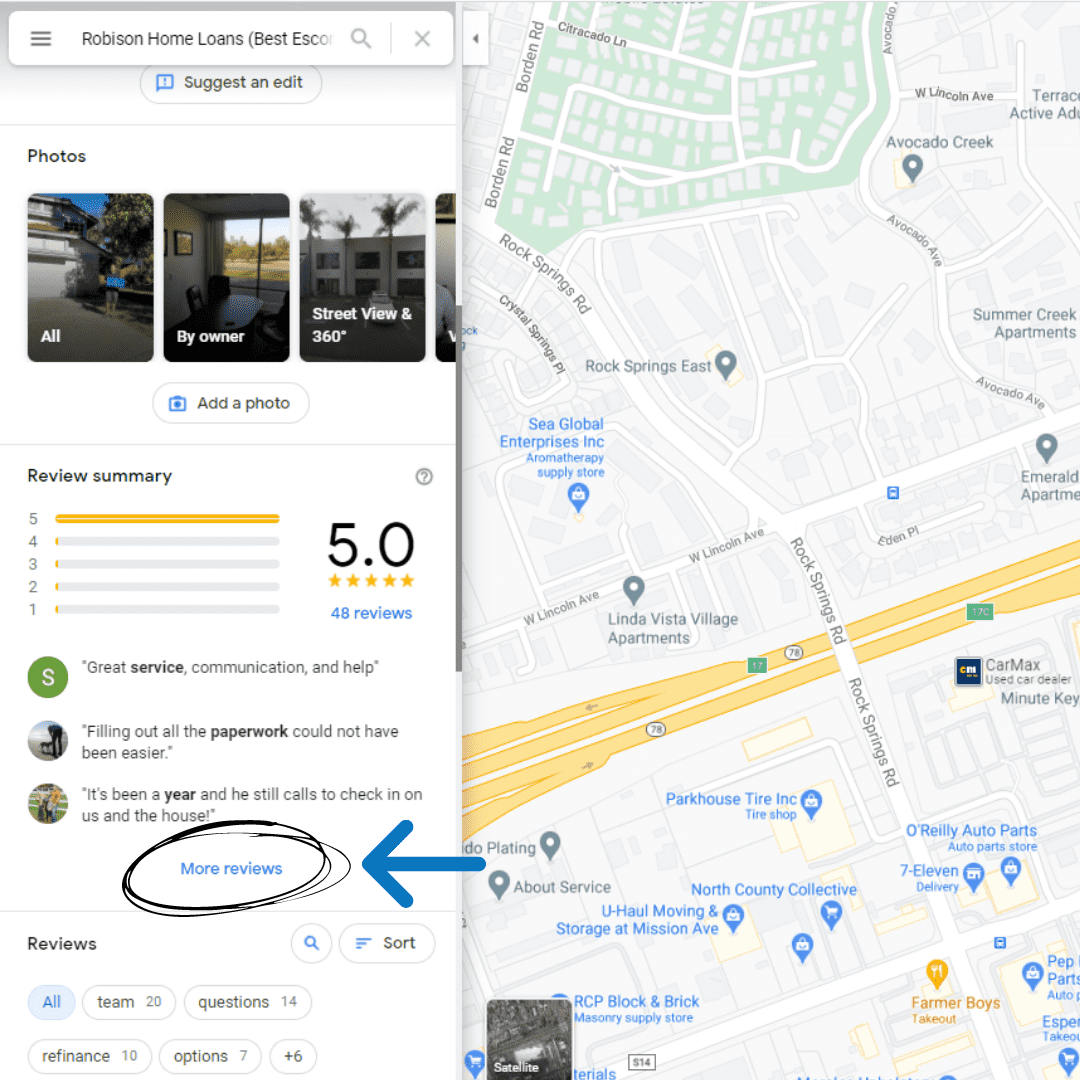
Step #3: You’ll be sent to the “All Reviews” section of our Business Profile. Click on the “Write A Review” button
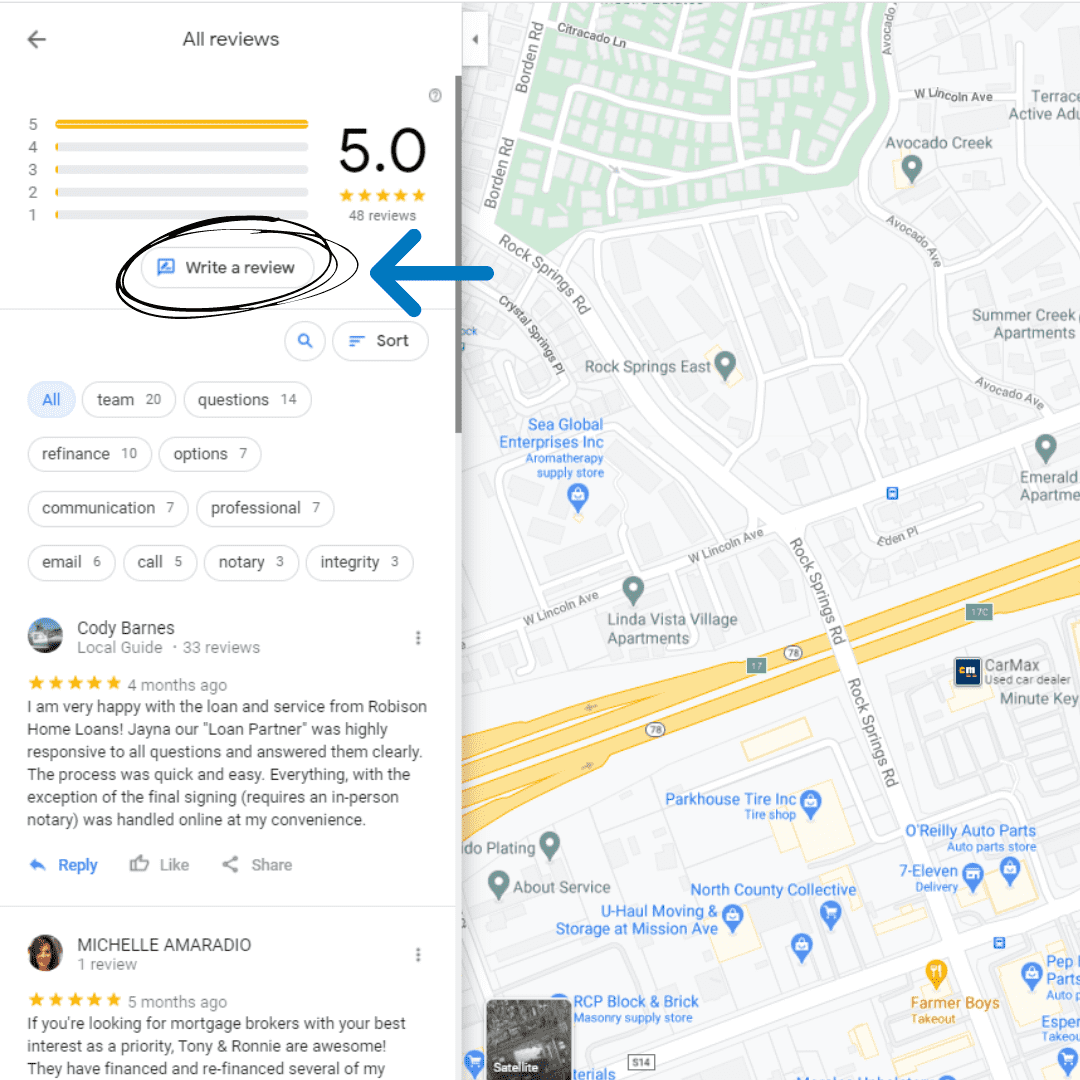
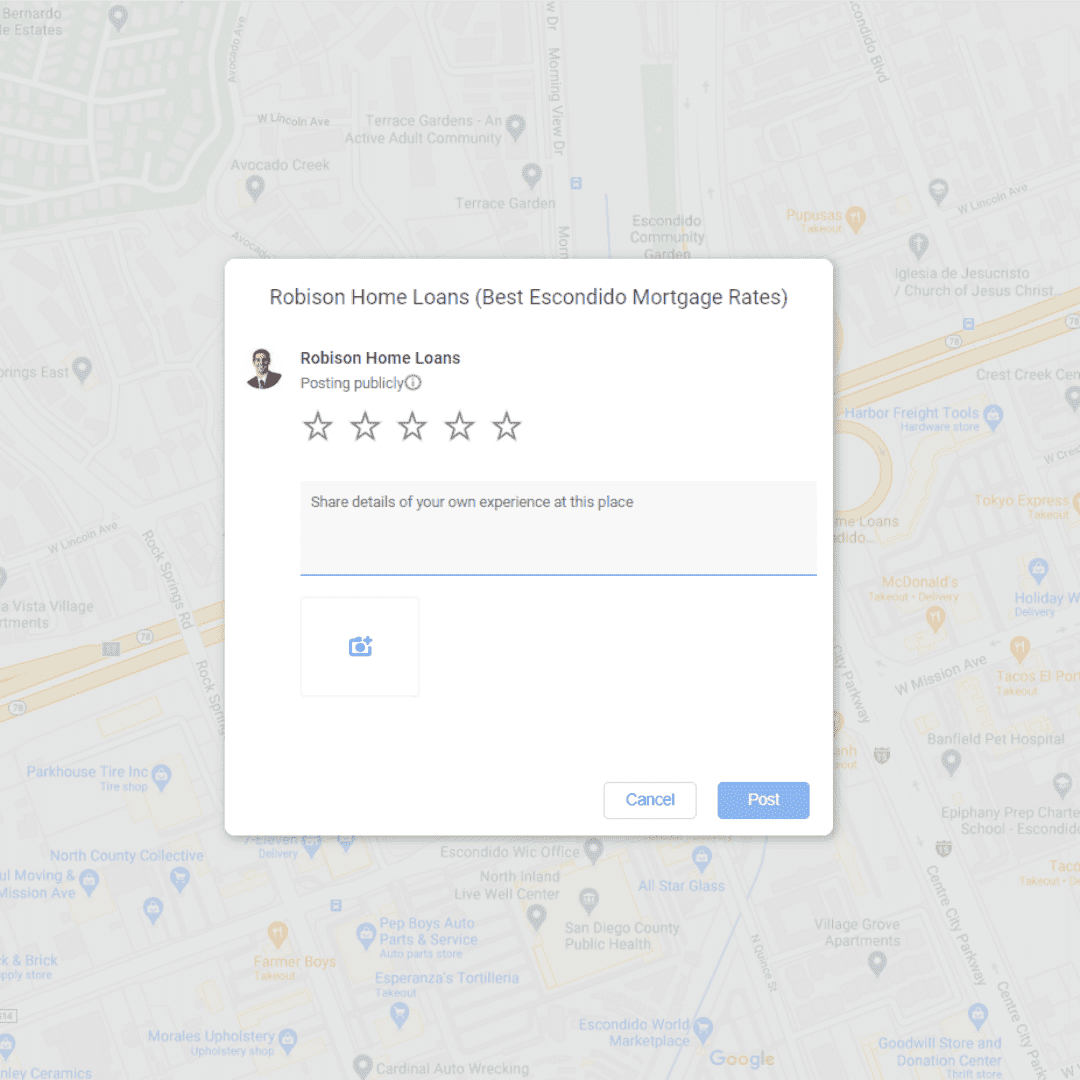
Step #4: Now you can leave your review! Mark how many stars out of 5 you give us and then type up your review below. Once everything is done, click on the “Post” button on the bottom right!
2. Yelp
Step #1: Go to https://www.yelp.com and sign-in to your account
Step #2: On the top right of the home page, click on “Write A Review”
Step #3: Search up “Robison Home Loans” in the search bar. Once you find us, click on ‘Write A Review”

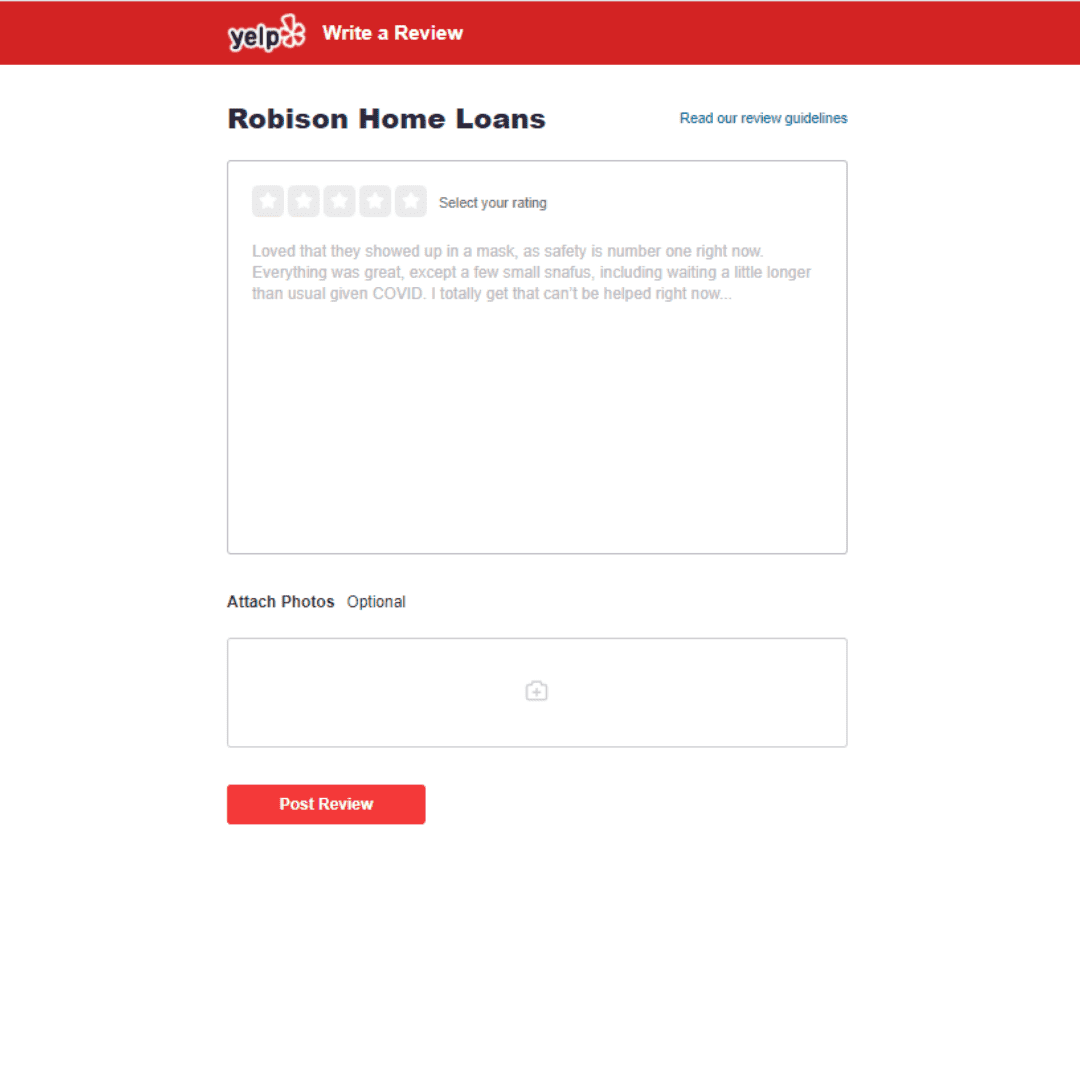
Step #4: It’s time to type up your review! First, select your rating out of 5 stars. After that, you can type up your review and attach photos. Once everything is done, click on “Post Review”
3. Facebook
Step #1: Sign-in to your Facebook account and then search “Robison Home Loans” in the Search Facebook bar on the top left or go to https://www.facebook.com/RobisonHomeLoans/
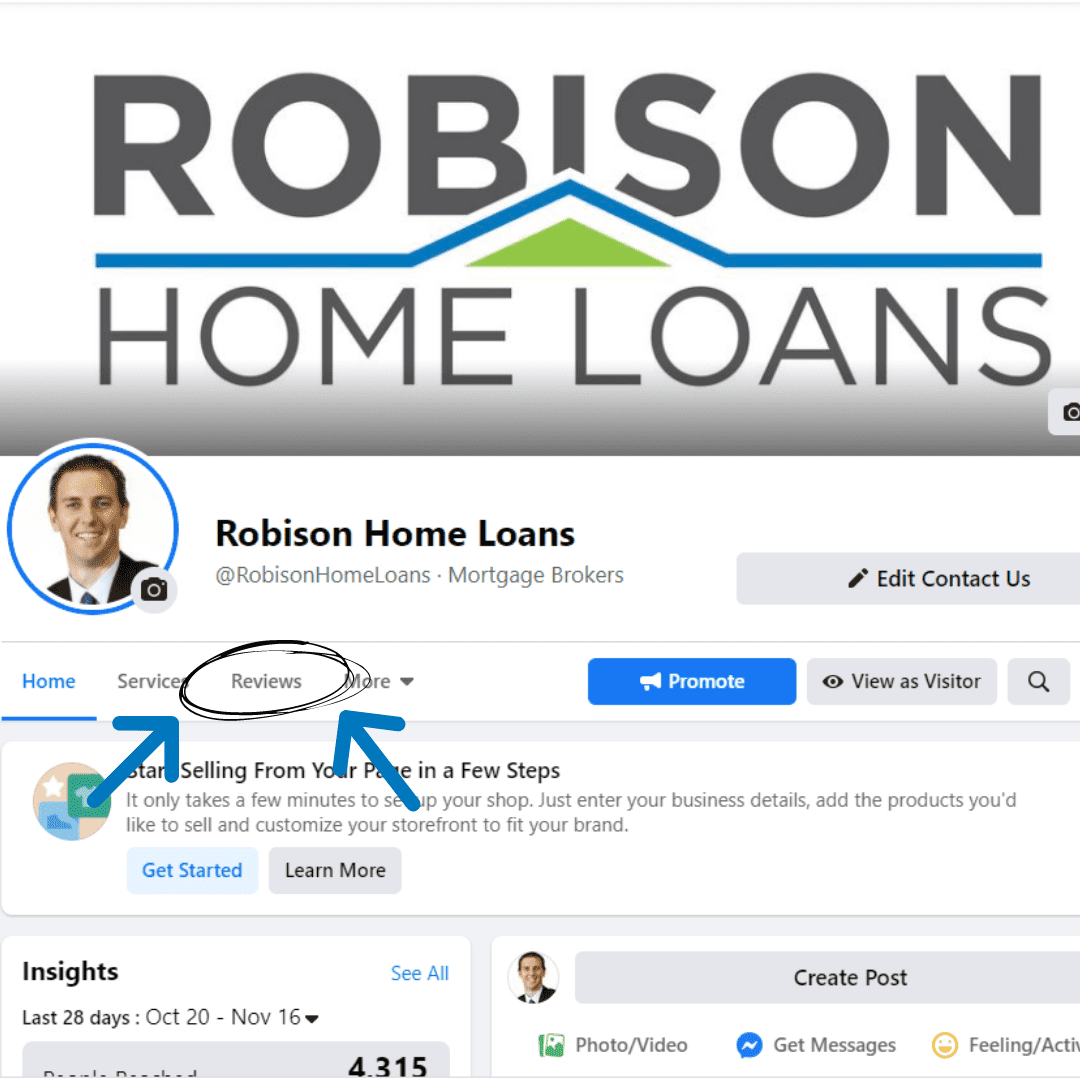
Step #2: Once you’re on our Facebook page, click on Reviews/Recommendations
Step #3: Click on “Yes’ to Recommend the page
Step #4: Write up your recommendation! You can also select tags on the bottom that reflect our business
Step #5: Select your audience by clicking next to “Post”
Step #6: Click “Post”
4. Zillow
Step #1: Go to https://www.zillow.com & sign-in to your Zillow account
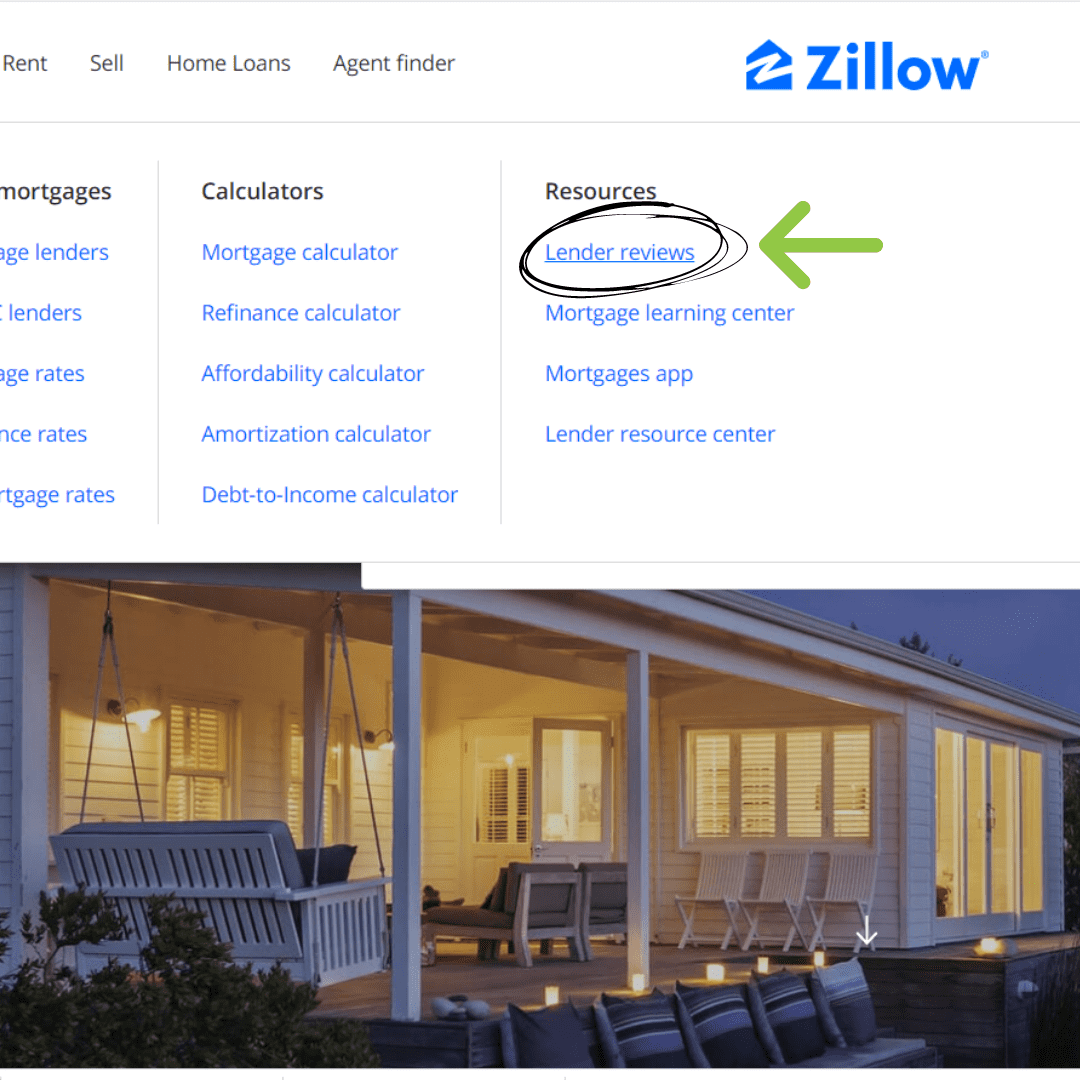
Step #2: At the home page, go over to the “Home Loans” section on the top left and click on “Lender Reviews”
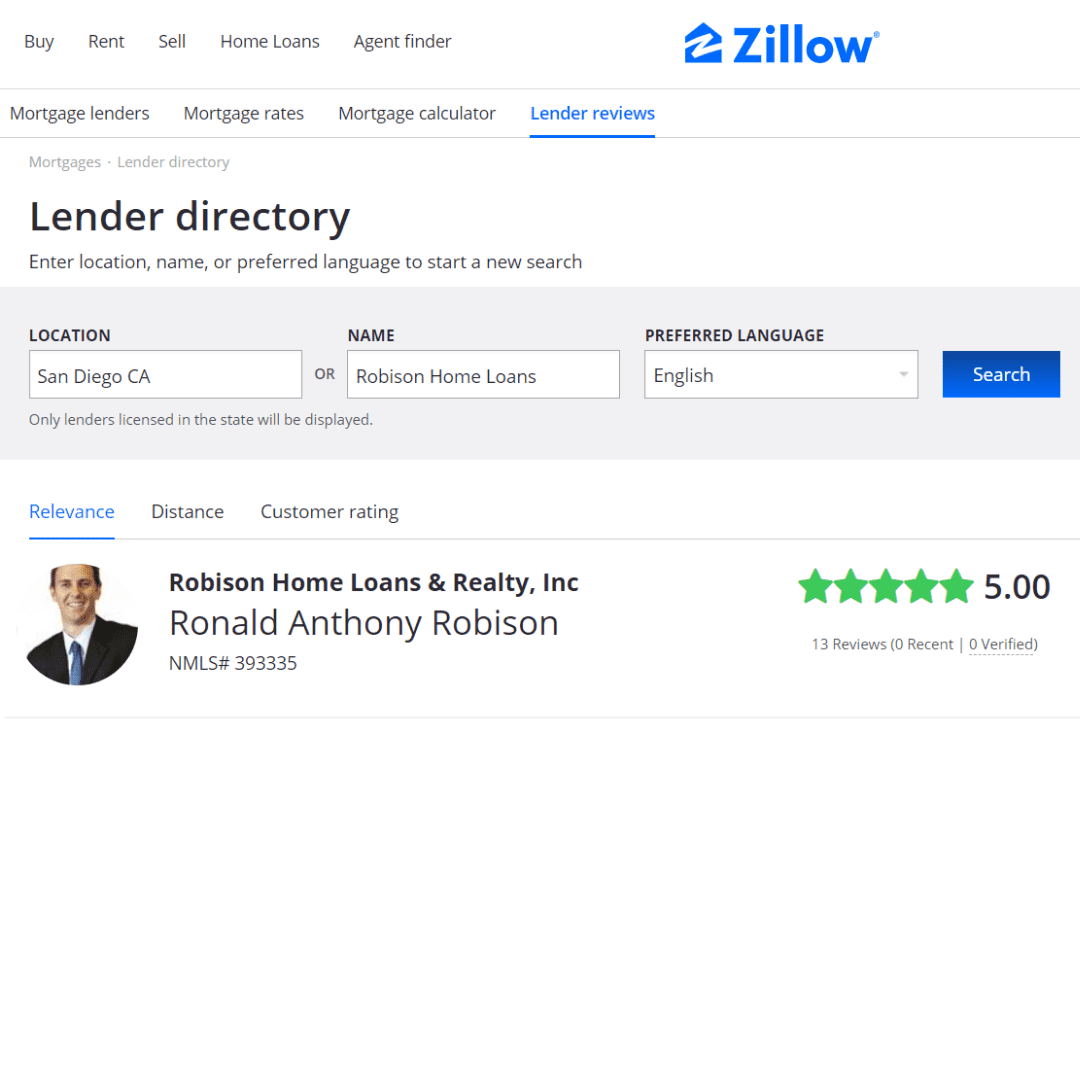
Step #3: You will sent to the Lender Directory page. Type in “Robison Home Loans” on the Name Search Bar and then click “Search.” Our company name and a picture of Ronnie will show up. Click on our name to head over to our company page.
Step #4: Click on “Write A Review”
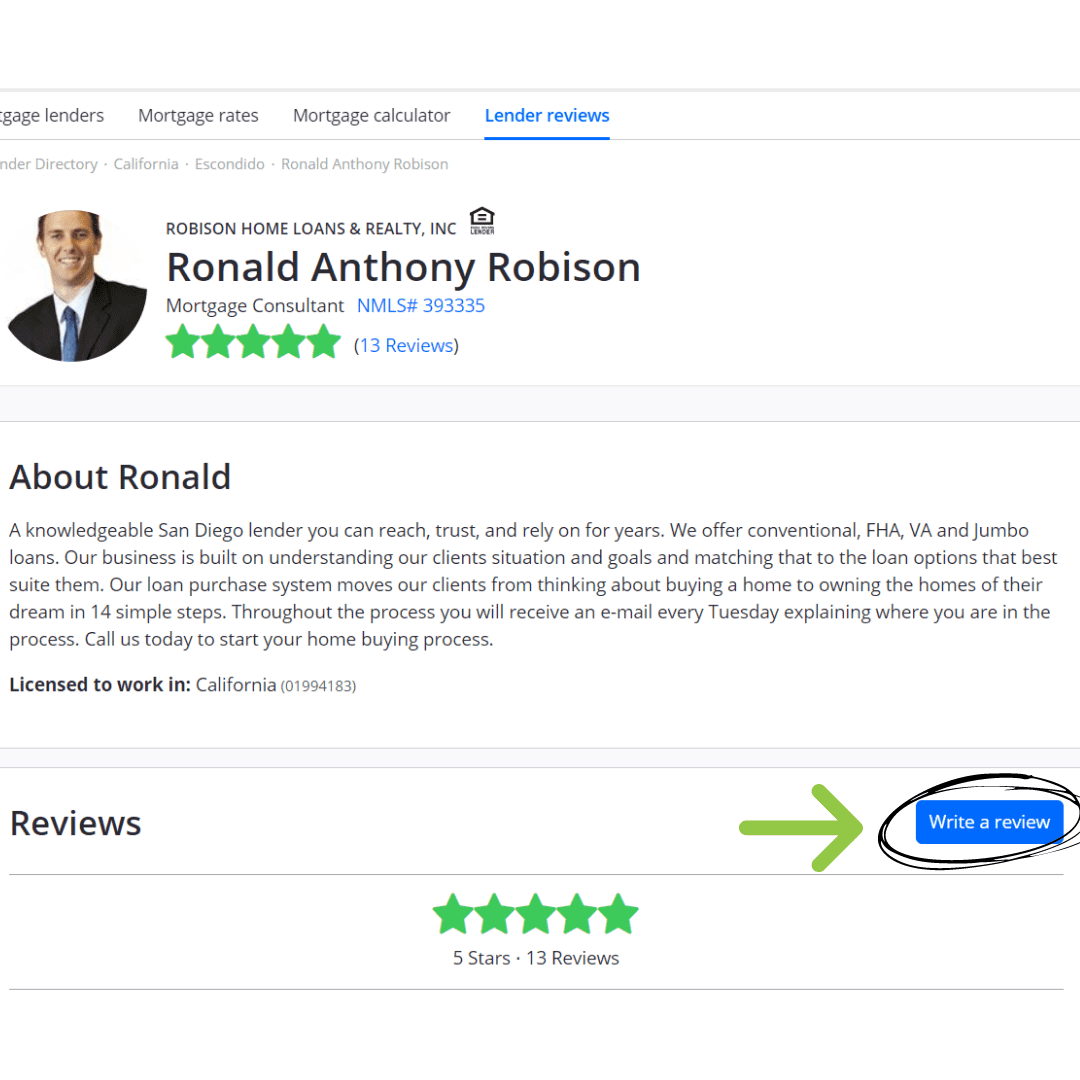
Step #5: Fill out the form and click on “Submit Review” on the bottom of the page
5. Find A Mortgage Broker
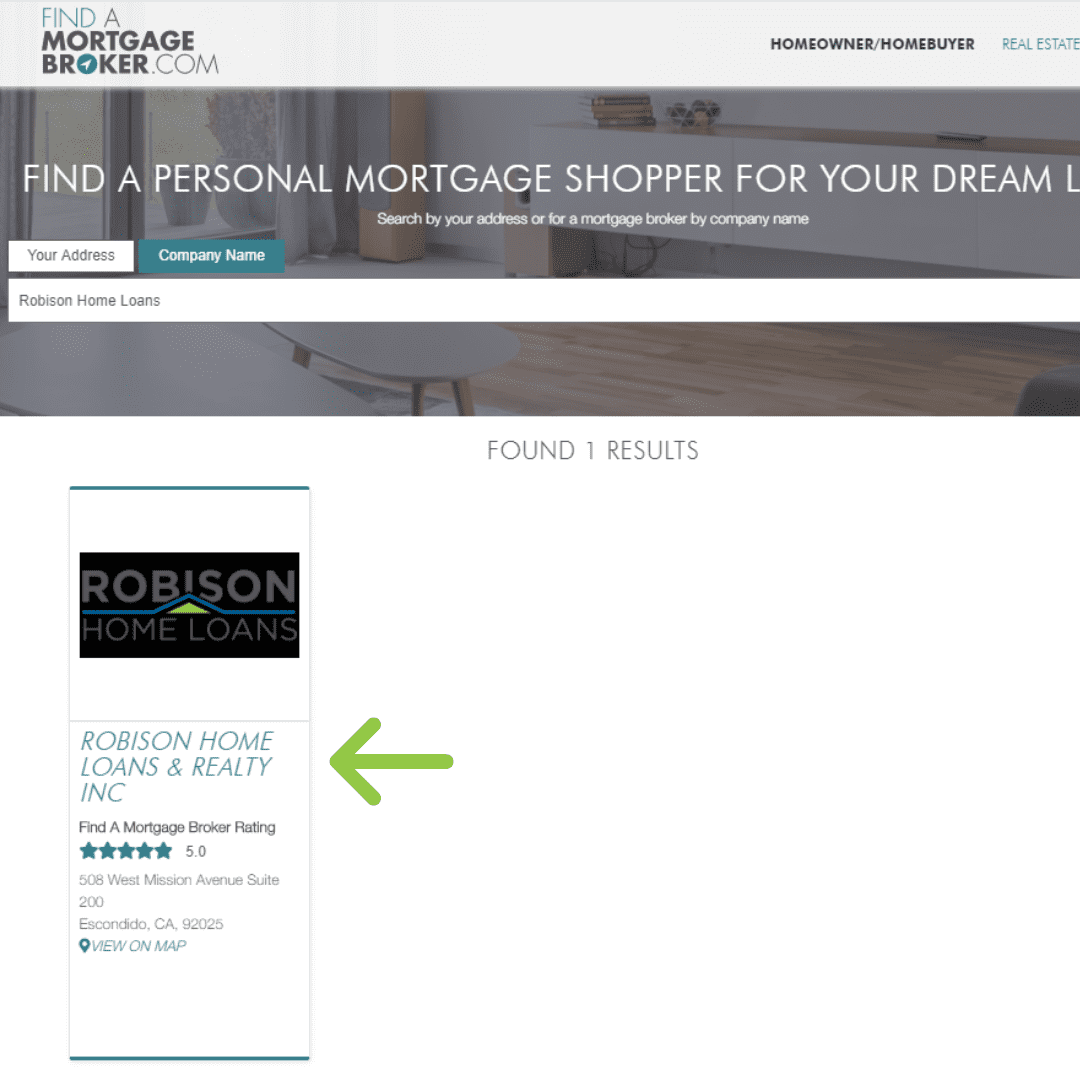
Step #1: Head over to https://www.findamortgagebroker.com/homeowner-homebuyer and search up “Robison Home Loans” under the Company Name Search Bar

Step #2: Robison Home Loans should show up as the only result! Click on our name to go to our company page
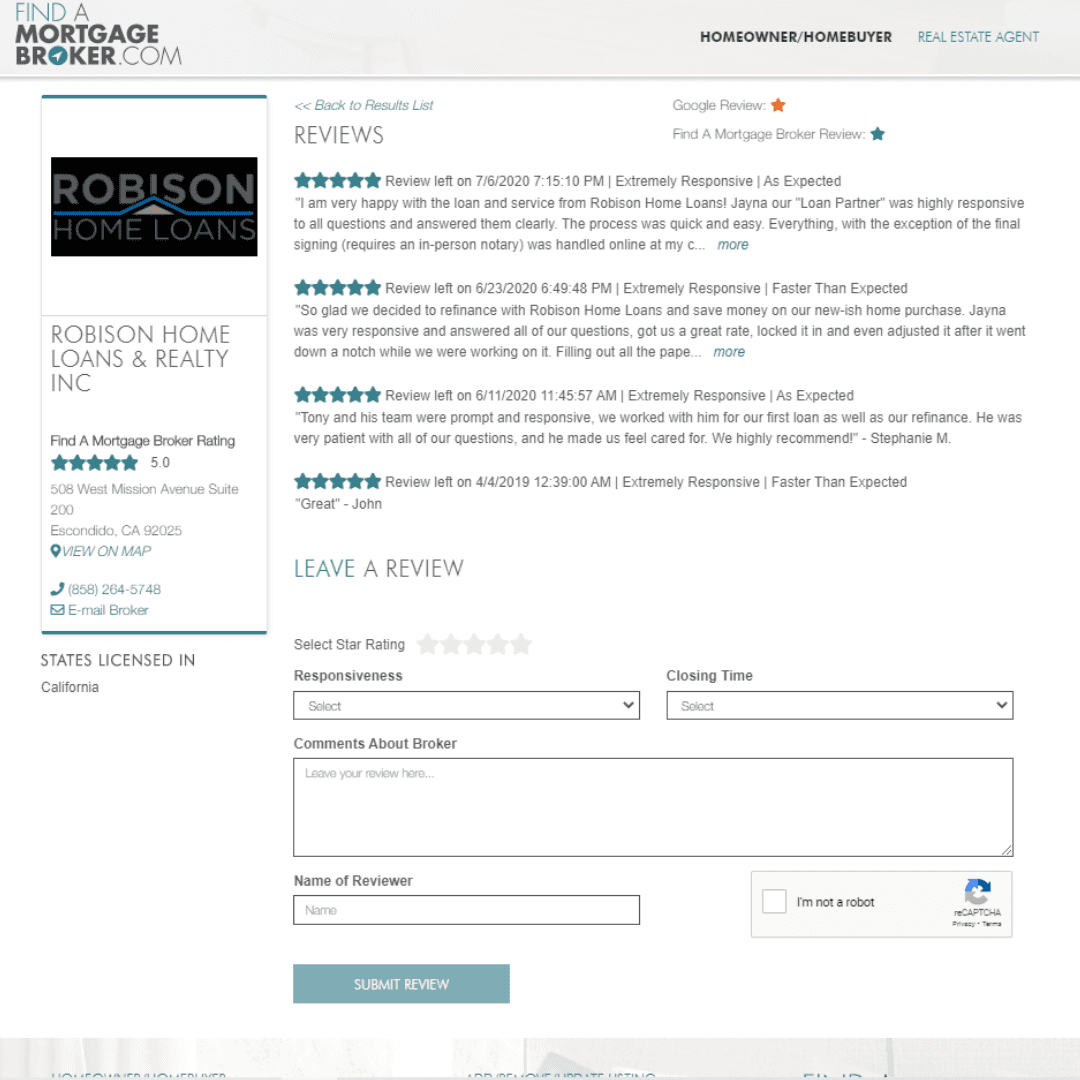
Step #3: Scroll down our page and you’ll find the form to submit your review! Fill out the form and click on “Submit Review” once your done!
And there you have it! You are officially a pro at leaving reviews across multiple sites! We can’t wait to read your reviews on how we helped you during the home buying process!